Python3 Lists
Sequences are the most basic data structure in Python.
Each value in a sequence has a corresponding position value, called an index, with the first index being 0, the second being 1, and so on.
Python has 6 built-in types for sequences, but the most common ones are lists and tuples.
Operations that can be performed on lists include indexing, slicing, adding, multiplying, and checking membership.
Additionally, Python has built-in methods for determining the length of a sequence and finding the largest and smallest elements.
Lists are the most commonly used Python data type, and they can appear as a comma-separated list of values enclosed in square brackets.
List items do not need to be of the same type.
To create a list, simply enclose comma-separated data items in square brackets. As shown below:
Accessing Values in a List
Section titled “Accessing Values in a List”Like string indices, list indices start at 0, the second is 1, and so on.
You can access, slice, and combine lists using index operations.
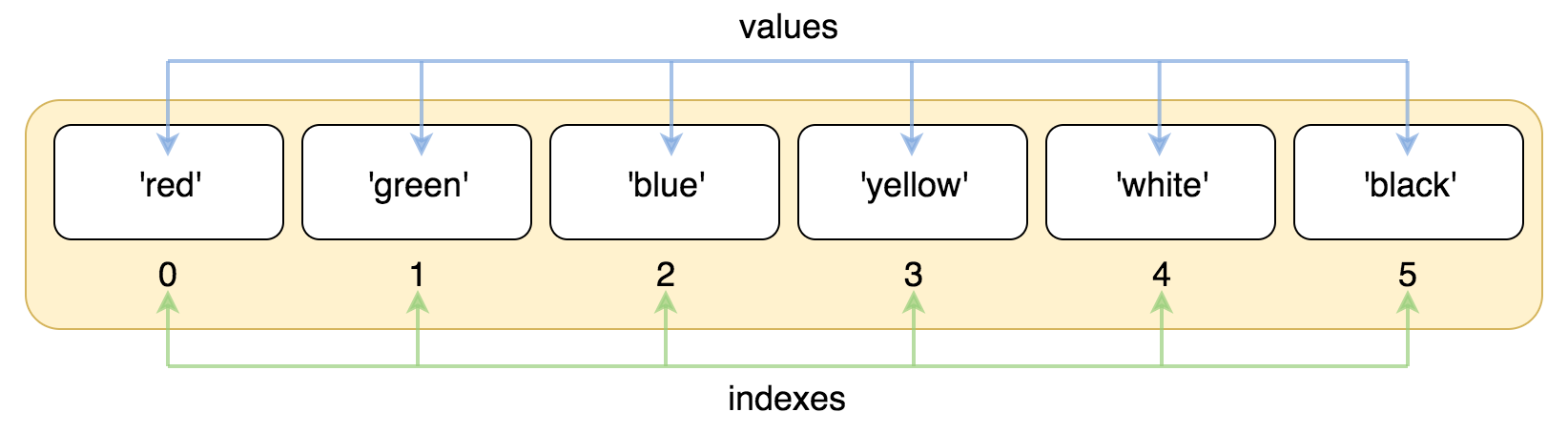
Example
Section titled “Example”Output of the above example:
Indices can also start from the end, with the last element having an index of -1, the second to last -2, and so on.
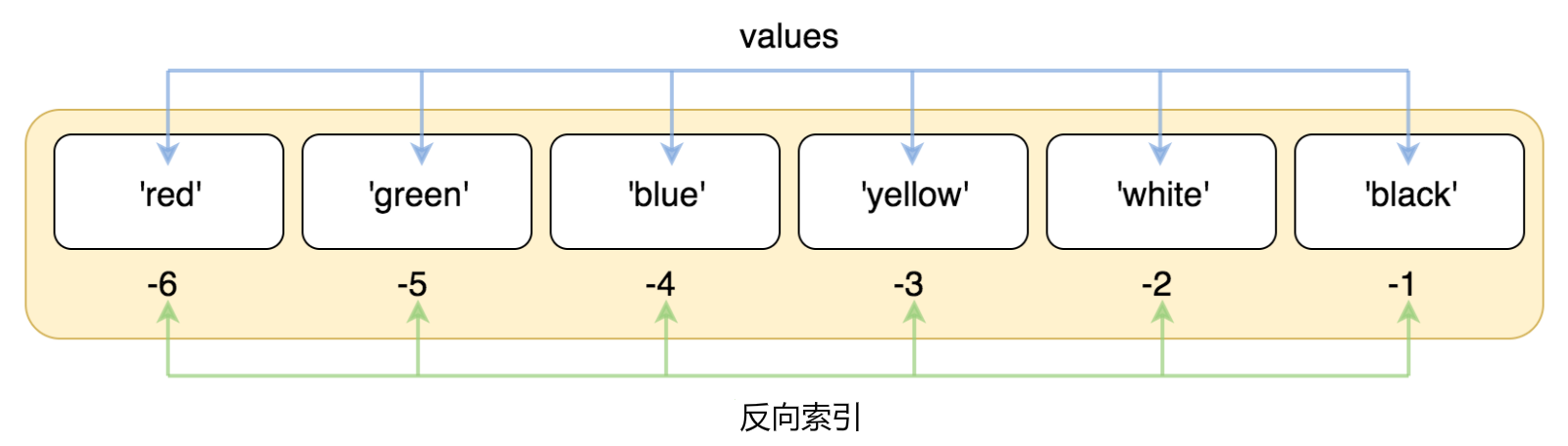
Example
Section titled “Example”Output of the above example:
Use subscript indices to access values in a list, and you can also use square brackets [] to slice characters, as shown below:
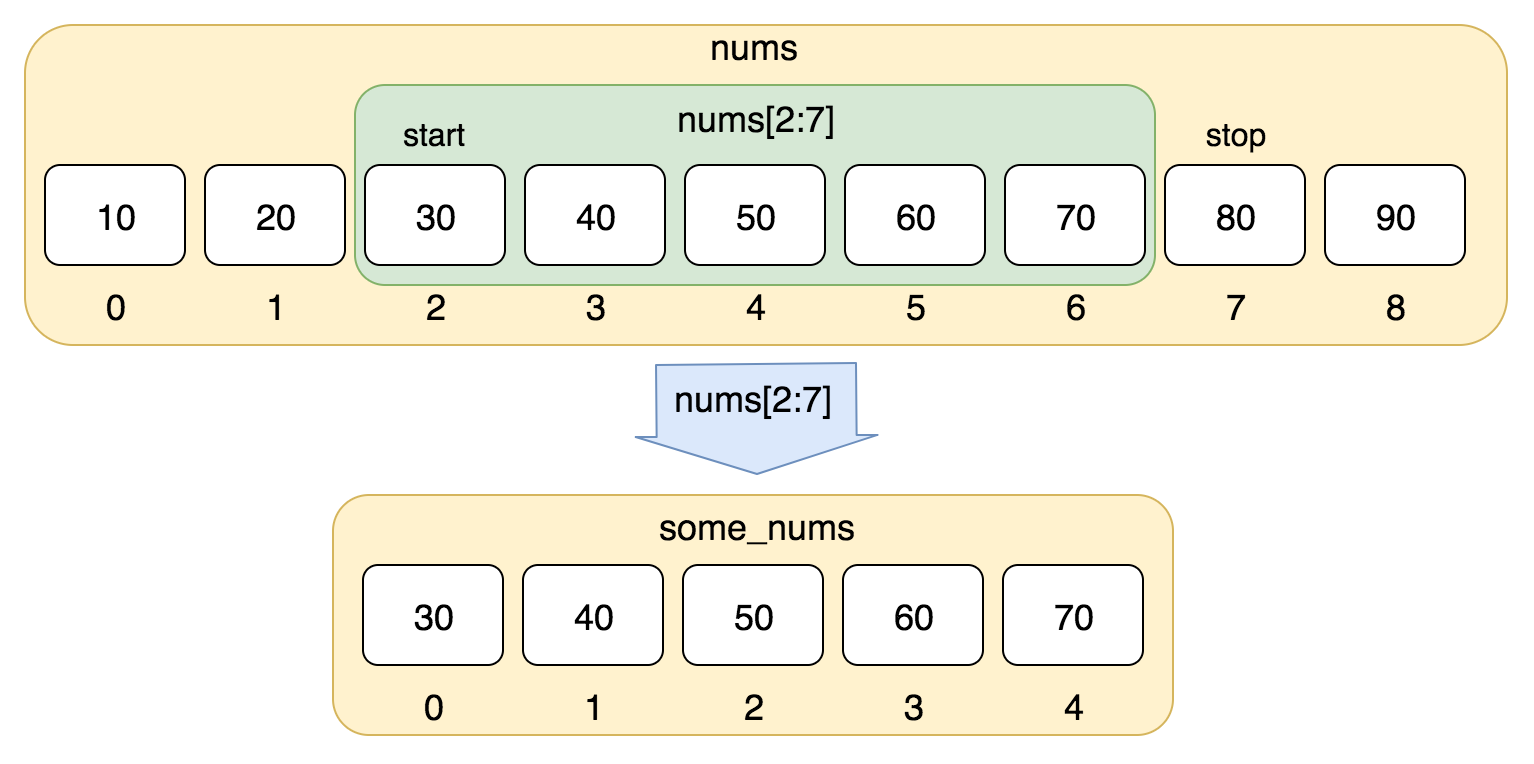
Example
Section titled “Example”Output of the above example:
Slicing using negative indices:
Example
Section titled “Example”Output of the above example:
Updating a List
Section titled “Updating a List”You can modify or update list items, and you can also use the append() method to add list items, as shown below:
Example (Python 3.0+)
Section titled “Example (Python 3.0+)”Note: We will discuss the append() method in the following chapters.
Output of the above example:
Deleting List Elements
Section titled “Deleting List Elements”You can use the del statement to delete elements from a list, as shown in the example below:
Example (Python 3.0+)
Section titled “Example (Python 3.0+)”Output of the above example:
Note: We will discuss the remove() method in the following chapters.
Python List Operators
Section titled “Python List Operators”List operators + and * work similarly to strings. The + sign is used to combine lists, and the * sign is used to repeat lists.
As shown below:
| Python Expression | Result | Description |
| len([1, 2, 3]) | 3 | Length |
| [1, 2, 3] + [4, 5, 6] | [1, 2, 3, 4, 5, 6] | Concatenation |
| [‘Hi!’] * 4 | [‘Hi!’, ‘Hi!’, ‘Hi!’, ‘Hi!’] | Repetition |
| 3 in [1, 2, 3] | True | Element exists in list |
| for x in [1, 2, 3]: print(x, end=“ “) | 1 2 3 | Iteration |
Python List Slicing and Concatenation
Section titled “Python List Slicing and Concatenation”Python list slicing is similar to string operations, as shown below:
Operations:
| Python Expression | Result | Description |
| L[2] | ‘Taobao’ | Read the third element |
| L[-2] | ‘Runoob’ | Read the second-to-last element from the right: count from the right |
| L[1:] | [‘Runoob’, ‘Taobao’] | Output all elements starting from the second element |
Lists also support concatenation:
Nested Lists
Section titled “Nested Lists”Using nested lists means creating other lists inside a list, for example:
List Comparison
Section titled “List Comparison”List comparison requires importing the eq method from the operator module (see: Python operator module):
Example
Section titled “Example”Output of the above code:
Python List Functions & Methods
Section titled “Python List Functions & Methods”Python includes the following functions:
| No. | Function |
|---|---|
| 1 | len(list) Number of list elements |
| 2 | max(list) Returns the maximum value of list elements |
| 3 | min(list) Returns the minimum value of list elements |
| 4 | list(seq) Converts a tuple to a list |
Python includes the following methods:
| No. | Method |
|---|---|
| 1 | list.append(obj) Adds a new object to the end of the list |
| 2 | list.count(obj) Counts the number of occurrences of an element in the list |
| 3 | list.extend(seq) Appends multiple values from another sequence to the end of the list at once (extends the original list with a new list) |
| 4 | list.index(obj) Finds the index position of the first matching item of a value in the list |
| 5 | list.insert(index, obj) Inserts an object into the list |
| 6 | list.pop([index=-1]) Removes an element from the list (defaults to the last element) and returns its value |
| 7 | list.remove(obj) Removes the first matching item of a value from the list |
| 8 | list.reverse() Reverses the elements in the list |
| 9 | list.sort( key=None, reverse=False) Sorts the original list |
| 10 | list.clear() Clears the list |
| 11 | list.copy() Copies the list |