Python3 Conditional Statements
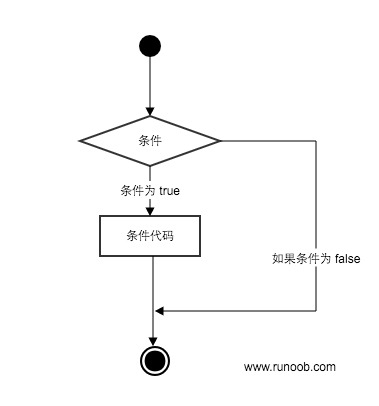
Python conditional statements determine which code blocks to execute based on the execution result (True or False) of one or more statements.
You can understand the execution process of conditional statements through the diagram below:
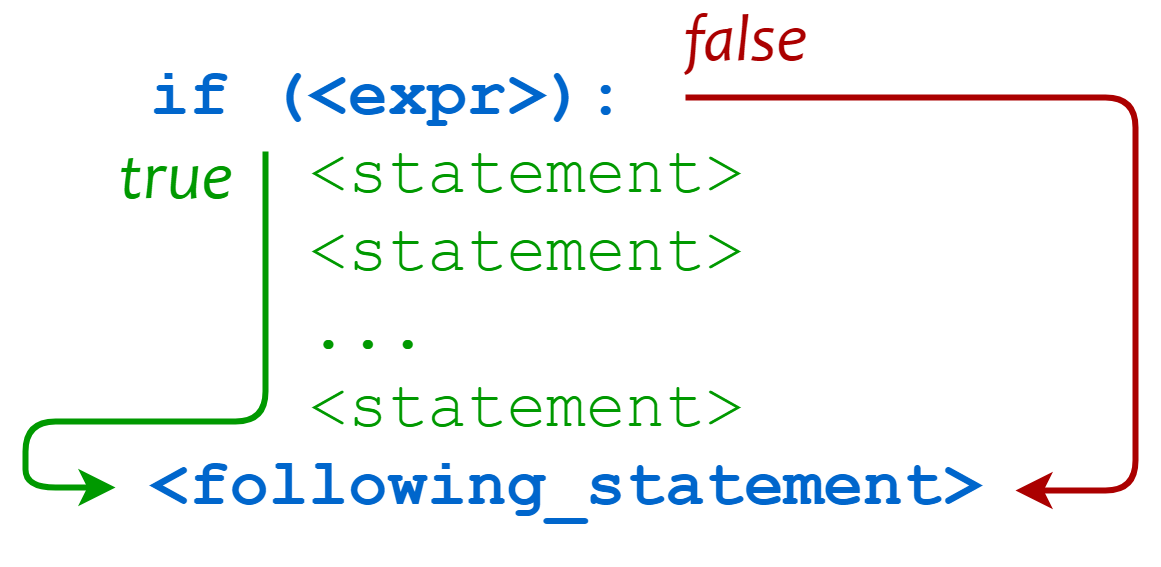
Code execution process:
Conditional Keywords
Section titled “Conditional Keywords”| Keyword / Function | Description | Example |
|---|---|---|
if |
Conditional statement, executes the code block when the condition is True | if x > 0: |
elif |
Multi-condition branch (else if) | elif x == 0: |
else |
Executes when all conditions are not satisfied | else: |
pass |
Empty statement, used as a placeholder to maintain syntax completeness | if x > 0: pass |
match |
Structured pattern matching (Python 3.10+, similar to switch) | match x: case 1: ... |
if Statement
Section titled “if Statement”The general form of an if statement in Python is as follows:
- If “condition_1” is True, the “statement_block_1” block will be executed
- If “condition_1” is False, “condition_2” will be evaluated
- If “condition_2” is True, the “statement_block_2” block will be executed
- If “condition_2” is False, the “statement_block_3” block will be executed
Python uses elif instead of else if, so the keywords for if statements are: if – elif – else.
Note:
-
- A colon : must be used after each condition, indicating the statement block to be executed when the condition is met.
-
- Use indentation to define statement blocks. Statements with the same indentation level form a statement block.
-
- There is no switch…case statement in Python, but Python 3.10 added match…case, which has similar functionality, see below.
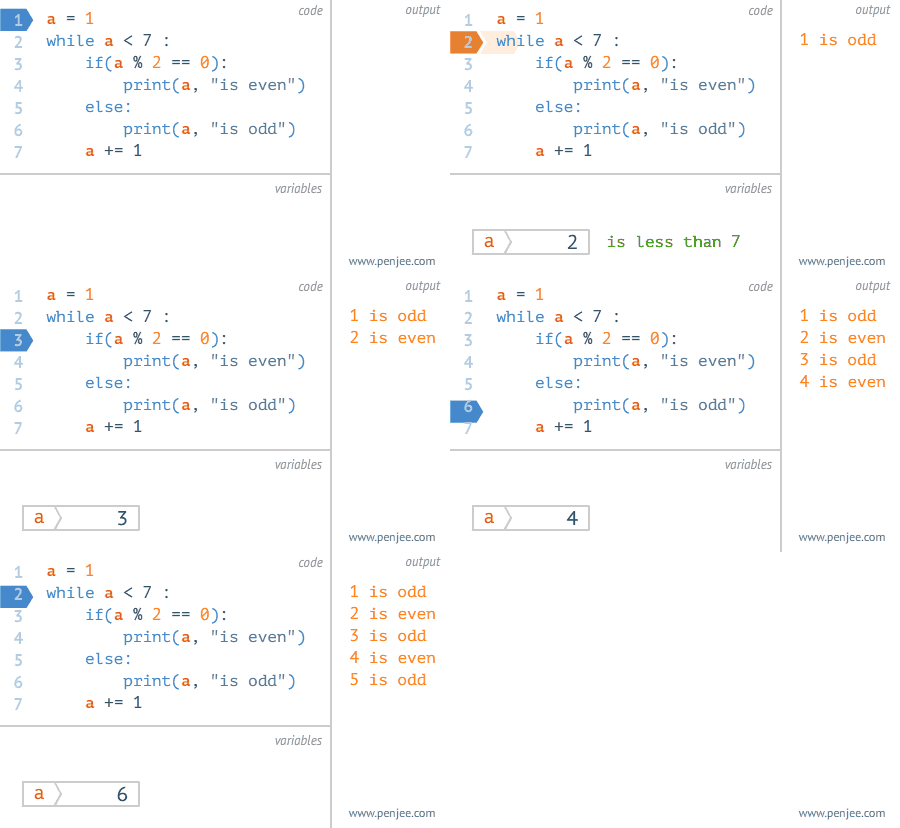
Gif demonstration:
Example
Section titled “Example”Here is a simple if example:
Example
Section titled “Example”Executing the above code produces the following output:
From the result, we can see that since variable var2 is 0, the corresponding if block statement was not executed.
The following example demonstrates the age calculation for a dog:
Example
Section titled “Example”Save the above script in a dog.py file and execute it:
Commonly used operators in if statements:
| Operator | Description |
< |
Less than |
<= |
Less than or equal to |
> |
Greater than |
>= |
Greater than or equal to |
== |
Equal to, compares whether two values are equal |
!= |
Not equal to |
Example
Section titled “Example”Output of the above example:
The high_low.py file demonstrates number comparison:
Example
Section titled “Example”Executing the above script produces the following output:
Nested if
Section titled “Nested if”In nested if statements, you can place an if…elif…else structure inside another if…elif…else structure.
Example
Section titled “Example”Save the above program to a test_if.py file and the output after execution is:
match…case
Section titled “match…case”Python 3.10 added match…case conditional statements, eliminating the need for a series of if-else statements.
The object after match is matched against the content after case in sequence. If a match is successful, the matched expression is executed; otherwise, it is skipped. _ can match anything.

The syntax format is as follows:
case _: is similar to default: in C and Java. When no other case can match, this one matches, ensuring a match is always found.
Example
Section titled “Example”The above is an example of outputting HTTP status codes. The output for multiple status codes is:
A case can also set multiple matching conditions, separated by |, for example:

Example
Section titled “Example”For more on match…case, refer to: Python match-case Statement